As I near the completion of another book, my thoughts naturally turn to COVERS. I think of them as the icing on the cake … jewelry to adorn an outfit… you get the picture.
They are really fun, but can be quite challenging. The process can be intense, but in a different way from writing and editing.
Best of all, they signal THE COMPLETION of my project and I give myself permission to look ahead to writing the next story.
Here are a few things to think about when choosing a book cover:
1) Make It Pop: Bright Colors, Images that cause the consumer to take a second look, something different than everything currently “out there.” But how will you know? Shop the bookstores or department stores and look through what’s on the shelves. (Years ago, I chose the perfect stock photo for one of my books only to find it already used on a book cover already on the shelf.) Back to square one…
2) Leave Lots of Space: The title, your name, and the main image will stand out more if you leave lots of open space. The more text you add and the more images you try to fit in, the more cluttered. Nothing will stand out for the consumer.
3) Appeal to Emotions: Buying a book is an emotional experience. Appeal to the reader’s emotions depending on your genre. Go for scary … suspenseful … empathetic … romantic … and so on. Get the reader hooked before they ever look inside.
4) Use Subtitles or Teasers: A sentence at the top saying you are a USA Today Bestseller, or Carol Award winner, for instance, helps readers judge the book’s value. Maybe use a tagline or a quote by a well-known author.
A subtitle is used to further explain the title. You can also delineate which book it is in a series. (Pick ONE. Don’t clutter up your cover trying to fit all of these in.)
5) Use Fonts and Colors That Stand Out.
6) Use an image of a person, or animal, or something in nature that speaks to the consumer in a personal way: Lately, a dog on the cover is the most well-received image. However, if your book doesn’t have a dog in its story, choose some other animal or person that will elicit an emotional response/connection.
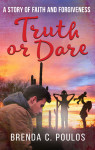
7) If you are writing books in a series: be sure each connects to the others, not only in content, but visually on the cover. For example, the covers of the series I finished last year (all four book titles are children’s games), share the same fonts. My name, the title, and the images have the same placement on the covers. The images are all different and the covers are different colors, but the tone is carried from book one thru book four.
**Just as we’re told to leave lots of white space on each page, remember to leave lots of space and use fonts/colors that make your information stand out. If your book looks too complicated, consumers won’t even bother to read the cover. You will be giving them a subtle message that what’s inside will be difficult to read and understand, too.

 brenda poulos